Auto Loader or COPY INTO? How to ingest files into Databricks without breaking things
A job that grew from five minutes to forty, and the one property that fixes it: knowing which files you already read
The folder was called landing. One CSV a day, dropped there by an export job nobody had touched in years. The load notebook read the folder, wrote a Delta table, and finished in about five minutes.
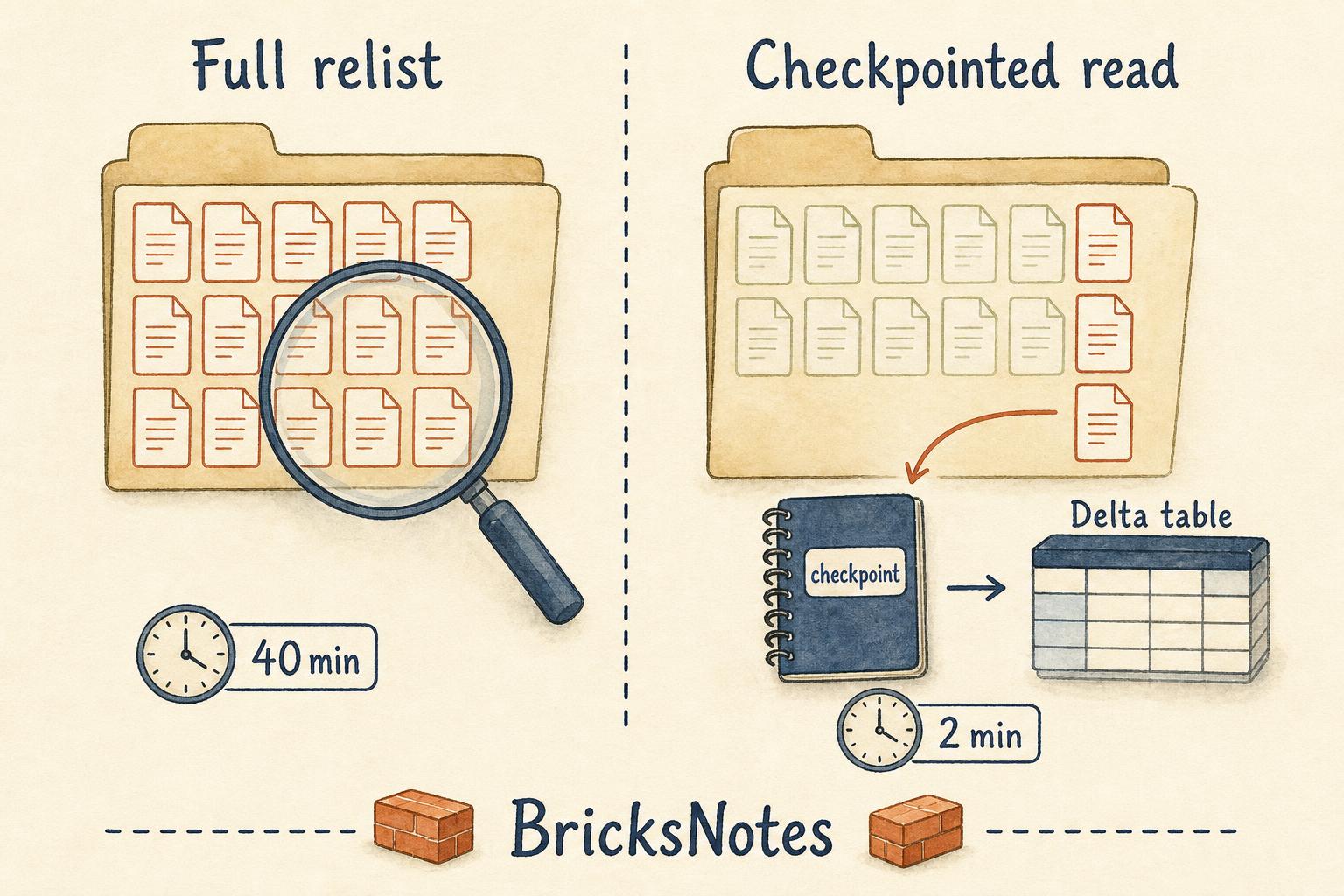
Two years later the same notebook took forty minutes. Nothing about the data had changed. The daily file was still small. What had changed was the folder: it now held around seven hundred files, and every morning Spark listed all seven hundred of them, read all seven hundred, and rewrote the whole table so the numbers would come out right.
The job was not slow because the data was big. It was slow because it had no memory. Every run started from nothing.
That is the real problem file ingestion has to solve. Not reading a CSV. Knowing what is new.
The question every ingestion job has to answer
When files land in a folder over time, a load job needs to answer one question on every run: which of these files have I already processed?
There are three ways to answer it.
You can guess from a path. Put each day's file in its own folder and read only today's folder. This works until a file arrives late, or a file gets corrected, or someone reruns yesterday.
You can compare with the target table. Read everything, then filter out what you already have. Correct, but you pay for reading everything, forever.
Or you can keep a record of what you processed. That record is the whole idea behind both tools this article is about.
Start with COPY INTO, because it is the simplest thing that works
COPY INTO is a SQL command that loads files into a Delta table and remembers which files it already loaded. Run it twice and the second run loads nothing, because it recognises the files by name.
Set up a small landing area on a Volume first.
CREATE VOLUME IF NOT EXISTS workspace.default.book_data;Then create the target table and load into it.
CREATE TABLE IF NOT EXISTS workspace.default.orders_bronze (
  order_id   STRING,
  region     STRING,
  amount     DOUBLE,
  order_date DATE
);

COPY INTO workspace.default.orders_bronze
FROM '/Volumes/workspace/default/book_data/landing/'
FILEFORMAT = CSV
FORMAT_OPTIONS ('header' = 'true', 'inferSchema' = 'true')
COPY_OPTIONS ('mergeSchema' = 'true');
Now run the same statement again. The output says zero rows loaded. Nothing was duplicated. Drop one more CSV into the folder and run it a third time, and only that file is read.
That behaviour is the point. COPY INTO is idempotent by default, which is exactly the property that makes a nightly job safe to rerun after a failure. If that idea is new, the article on safe reruns goes deeper on why it matters more than almost anything else in a pipeline.
COPY INTO is a good fit when files arrive on a schedule, in modest numbers, and a batch job is all you need. It is one statement, it is easy to read six months later, and it needs no streaming knowledge at all.
Its limit is scale. The record of loaded files is kept per target table, and the command still has to look at the source folder to see what is there. With hundreds of thousands of files in one directory, listing becomes the bottleneck again.
Auto Loader, and why checkpoints are the whole trick
Auto Loader is the streaming version of the same idea. You read with the cloudFiles format, and Databricks tracks processed files for you in a checkpoint.
landing_path = "/Volumes/workspace/default/book_data/landing/"
schema_path = "/Volumes/workspace/default/book_data/_schema/orders"
checkpoint_path = "/Volumes/workspace/default/book_data/_checkpoints/orders"

orders_stream_df = (
    spark.readStream
    .format("cloudFiles")
    .option("cloudFiles.format", "csv")
    .option("cloudFiles.schemaLocation", schema_path)
    .option("header", "true")
    .load(landing_path)
)

(
    orders_stream_df.writeStream
    .option("checkpointLocation", checkpoint_path)
    .trigger(availableNow=True)
    .toTable("workspace.default.orders_bronze_stream")
)
Read that once more and notice what is doing the work. It is not the word readStream. It is checkpointLocation.
The checkpoint is the job's memory. It holds which files have been seen and how far the load got. Delete it and the next run reprocesses everything. Keep it and the next run picks up exactly where the last one stopped, whether that was an hour ago or last Tuesday.
trigger(availableNow=True) is worth calling out too. It says: process everything waiting right now, then stop. So this is a batch job written in streaming form. You get incremental behaviour and a scheduled job, without a cluster running all night. For most teams this is the sweet spot, and it is the pattern the incremental processing chapter builds up to.
Directory listing and file notification, in plain words
Auto Loader can find new files two ways.
Directory listing is the default. Auto Loader lists the source folder, compares what it sees against the checkpoint, and reads the difference. It needs no setup, and it is fine well into the hundreds of thousands of files.
File notification flips the direction. Instead of asking the folder what is there, Auto Loader subscribes to storage events and is told when a file arrives. Listing cost stops mattering because there is no listing. This mode needs cloud resources such as a queue and event subscription, so it requires a paid Databricks workspace. The concept is explained here for understanding; on Free Edition you will use directory listing, and that is enough for everything you are likely to build while learning.
The useful takeaway is that this is a switch, not a rewrite. The same code moves from one mode to the other with one option, so pick the simple mode now.
Schema handling, so a new column does not wake you at 2am
Files change. A source system adds a channel column, and a job that hardcoded a schema either drops it silently or fails loudly.
Auto Loader handles this through schemaLocation, which is a small folder where the inferred schema is stored and versioned. Three options make it predictable.
orders_stream_df = (
    spark.readStream
    .format("cloudFiles")
    .option("cloudFiles.format", "csv")
    .option("cloudFiles.schemaLocation", schema_path)
    .option("cloudFiles.schemaHints", "amount DOUBLE, order_date DATE")
    .option("cloudFiles.schemaEvolutionMode", "addNewColumns")
    .option("rescuedDataColumn", "_rescued_data")
    .option("header", "true")
    .load(landing_path)
)
schemaHints pins the columns you care about, so an amount never quietly becomes a string because one file had a blank cell.
schemaEvolutionMode set to addNewColumns means a new column stops the stream once, records the new schema, and succeeds on the next start. That sounds annoying and it is actually a gift: the change is visible instead of silent.
rescuedDataColumn catches anything that did not fit the expected schema and parks it in a JSON column instead of throwing the row away. Query it once a week and you will learn more about your sources than any documentation will tell you. The habit behind this is the same one in the data quality chapter: never delete evidence.
Choosing between them
A short decision list, in the order the questions actually come up.
How many files land in the source folder over its lifetime? Thousands, use either. Hundreds of thousands or more, use Auto Loader.
Do you need low latency? If minutes matter, Auto Loader with a continuous trigger. If a daily or hourly run is fine, either works, and availableNow=True gives you incremental loading on a schedule.
Does the schema drift? If sources add columns without warning, Auto Loader's schema location and rescued data column save real time.
Who maintains this? If the team is SQL-first and the volume is modest, COPY INTO is easier to hand over. Clear code someone else can fix at 3am beats a clever pipeline nobody understands.
Is it inside a declarative pipeline? Then Auto Loader is the natural fit, because the pipeline manages the checkpoint for you. The Lakeflow guide shows how that looks.
There is also a perfectly good answer that is neither: if the file set is small and complete every time, just read it and overwrite the table. Not every load needs to be incremental.
How to check it actually worked
Do not trust the design. Test the memory.
Run the load, then note the row count.
SELECT COUNT(*) AS row_count FROM workspace.default.orders_bronze;Run the load again without adding files. Count again. If the number moved, the job is not incremental and it is not safe to rerun. That single test catches more real bugs than any amount of reading.
Then drop one new file in and run once more. The count should grow by exactly the rows in that file.
For Auto Loader, look at what the checkpoint recorded.
DESCRIBE HISTORY workspace.default.orders_bronze_stream;Each run appears as a version, with the number of rows written. A run that processed nothing shows up as nothing, which is what a healthy incremental load looks like on a quiet day.
What to remember
Ingestion is not about reading files. It is about remembering which files you already read. COPY INTO remembers per table. Auto Loader remembers in a checkpoint. Everything else is detail.
The job that took forty minutes was fixed in an afternoon, and the fix was not tuning. It was giving the job a memory.
Continue learning
- Data sources shows how files, Volumes and tables fit together before you automate anything.
- Incremental processing is the chapter this article sits inside, with checkpoints worked through step by step.
- Streaming explains what
readStreamis really doing under the trigger. - Auto Loader reference is the option by option companion to this article.
- Lakeflow Declarative Pipelines covers ingestion inside a managed pipeline.
- Data Engineer Associate practice exam tests exactly this material, and ingestion questions come up often.