Z-ORDER or liquid clustering? How to lay out a Delta table in 2026
Partitioning, Z-ORDER, and liquid clustering do the same job in three different ways. Here is how to pick.
Your dashboard used to load in four seconds. Now it takes forty. Nothing changed in the query. Nothing changed in the cluster. The only thing that changed is that the table grew, and nobody thought about how the data sits on storage.
This is the most common performance problem in Databricks, and it has almost nothing to do with Spark tuning. It is a layout problem. Spark is fast at reading files. It is slow at reading the wrong files, and slower still at reading thousands of tiny ones.
So the real question for 2026 is simple. When you create a Delta table, how should you lay it out: partitions, Z-ORDER, or liquid clustering?
Why layout decides your query speed
Every Delta table keeps statistics about each data file: the minimum and maximum value of each column in that file. When you filter on a column, Spark reads those statistics first and skips any file that cannot possibly contain a match. This is called data skipping, and it is where most of your performance comes from.
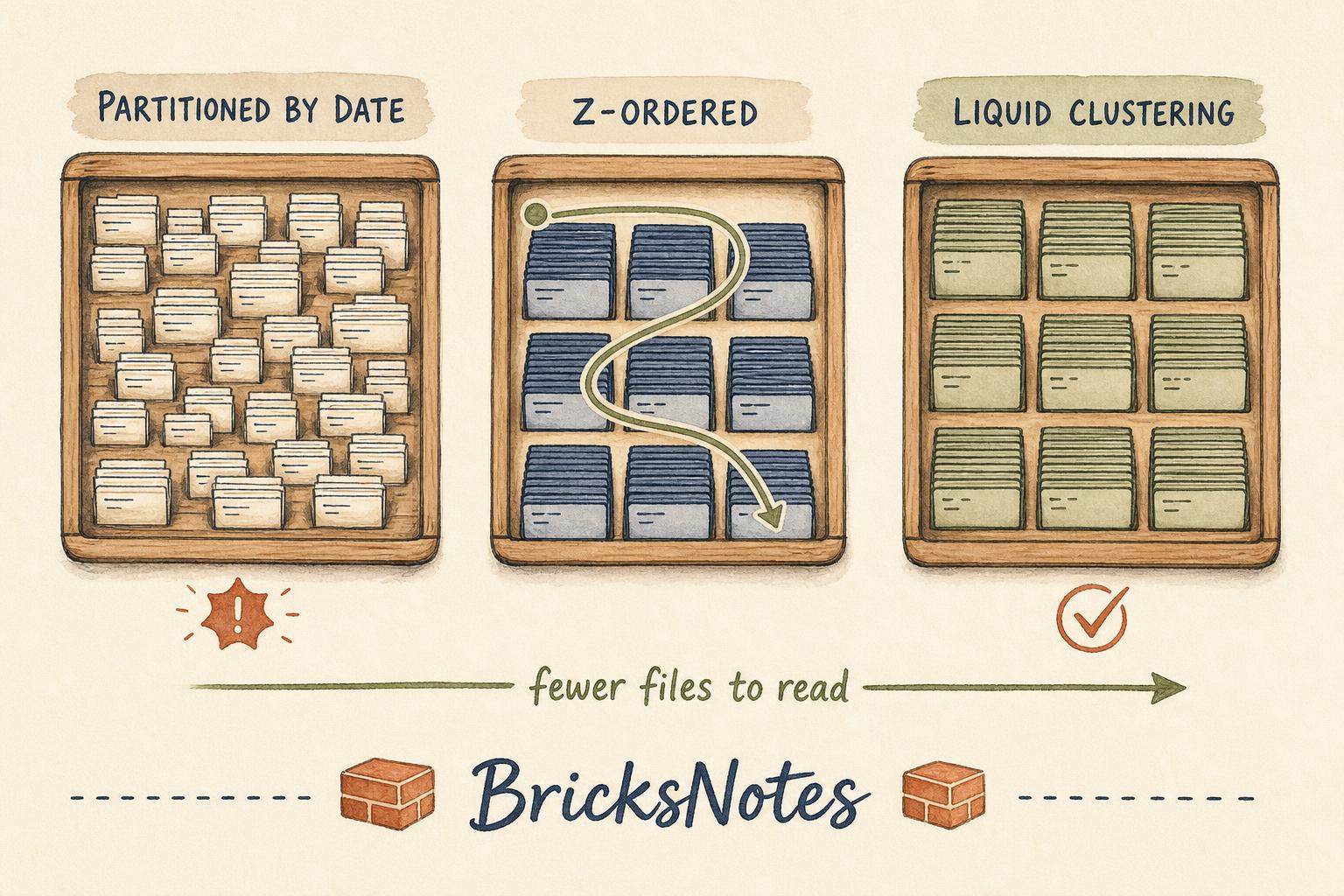
Data skipping only works when related rows live together. If your customer rows are scattered evenly across two thousand files, then filtering on one customer still touches two thousand files. The min and max ranges overlap, so nothing can be skipped.
Layout is the practice of making related rows share files. That is all. Partitioning, Z-ORDER, and liquid clustering are three different ways of doing that one job.
Partitioning: the blunt instrument
Partitioning splits a table into physical folders based on a column value. A table partitioned by event date gets one folder per day.
CREATE TABLE events (
  event_id STRING,
  customer_id STRING,
  event_date DATE,
  amount DOUBLE
)
PARTITIONED BY (event_date)
When you filter on the partition column, Spark reads only the matching folders. That is a real win, and it is why partitioning became a habit.
The habit is also where the damage comes from. Partitioning by a column with many distinct values, like customer id or a full timestamp, creates thousands of folders holding a few kilobytes each. Now every query pays a listing cost before it reads a single row. This is the small file problem, and it is self inflicted.
A useful rule: only partition when each partition will hold at least a gigabyte of data, and only on a low cardinality column you filter on almost every time. For most tables under a terabyte, the honest answer in 2026 is do not partition at all.
Z-ORDER: sorting inside the files
Z-ORDER does not create folders. It rewrites the data files so that rows with similar values in the chosen columns end up in the same file. It uses a space filling curve, which is a way of sorting on several columns at once without one column dominating the others.
OPTIMIZE events
ZORDER BY (customer_id, product_id)
This works well, and it works on any Delta table. But it has two costs that matter in practice.
The first cost is that it is a manual job. Z-ORDER is something you run. New data arrives unclustered, so you schedule OPTIMIZE again, and again, and you rewrite files that were already fine.
The second cost is that it is a decision you make once and then live with. Changing your Z-ORDER columns means a full rewrite of the table. If your access patterns shift, and they always do, you pay for that shift in compute.
Liquid clustering: the 2026 default
Liquid clustering replaces both patterns for new tables. You declare the clustering columns once, and Databricks keeps the layout organised incrementally as data arrives.
CREATE TABLE events (
  event_id STRING,
  customer_id STRING,
  event_date DATE,
  amount DOUBLE
)
CLUSTER BY (customer_id, event_date)
Three things make this better than what came before.
It is incremental. New writes are clustered as part of normal maintenance, so you are not rewriting the whole table on a schedule.
It is changeable. You can alter the clustering columns without rewriting history, which means a shift in access patterns costs you a statement instead of a weekend.
It removes the partition trap entirely. There are no folders to explode, so high cardinality columns like customer id are safe to cluster on.
If you want Databricks to pick the columns for you based on real query history, there is an automatic mode:
ALTER TABLE events
CLUSTER BY AUTO
That is a genuinely new kind of decision. You are handing a layout choice to the platform, and the platform has better information than you do, because it can see every query that ran.
How to choose, in one page
Use this order when you create a table.
Start with liquid clustering on the one or two columns you filter on most. This is the right answer for the large majority of tables you will build in 2026.
Reach for partitioning only when the table is very large, the column is low cardinality, and you need physical separation for lifecycle reasons, such as deleting a whole year in one operation. Partitioning and liquid clustering are alternatives, not partners.
Keep Z-ORDER for tables that already exist and already work. There is no prize for migrating a healthy table.
Whatever you choose, still run maintenance. OPTIMIZE compacts small files, and VACUUM removes files that are no longer referenced. Layout reduces how much you read. Maintenance keeps the file count sane.
OPTIMIZE events;
VACUUM events RETAIN 168 HOURS;
The part people skip
Before you change any layout, look at what your queries actually filter on. Not what you think they filter on. Open the query history, read the predicates, and count.
Most teams discover two things. First, one or two columns appear in almost every filter, and those are the clustering columns. Second, the column they partitioned by three years ago is barely used anymore.
Layout work is cheap when it follows evidence and expensive when it follows habit.
Try this yourself
You can practise all of this in Databricks Free Edition. Create a table twice, once partitioned by a high cardinality column and once clustered, then compare the number of files each one produces and how long the same filter takes. Seeing the file count is what makes the concept stick.
Continue learning
- Delta Lake lesson for the transaction log and how data skipping statistics get written.
- Partitioning and performance for the small file problem and a hands-on comparison.
- Medallion architecture for where layout decisions belong in bronze, silver, and gold.
- Delta Lake tutorial for a shorter refresher on ACID, time travel, and schema evolution.
If you are building tables you will still be running next year, layout is the highest leverage hour you can spend.